
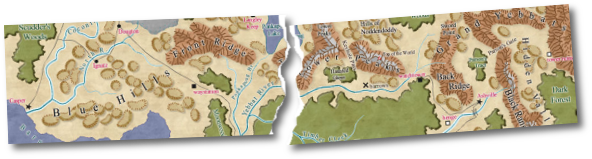
Redraw tips:
1. Trees and Mountains are by far the most numerous and slowest symbols. Draw polygons to mark the forest and mountain areas and add these symbols to your map last.
2. Use larger symbols. It sounds simple, but if you use symbols that are twice as big, the redraw speed will be four times quicker. You can always paste maps together later.
3. Hide layers when you are not working on them.
Stopping redraws:
1. Resize the screen so that the task bar, when it pop ups only goes over the prompt area. This means you can raise the prompt bar to look at the time (etc.) without causing a redraw. CM remembers the window shape and size between setting. All you lose is a few pixels at the bottom of the screen.
2. A more powerful display card (lots of memory) eliminates almost all non-zooming redraws.
3. If Tooltips cause redraws, turn them off. Options>Preferences> unselect Tooltips.
Reducing the number of redraws:
1. Minimize the use of scroll bars. Scroll bars are useful in navigating painted images and documents. They are not usually the best way of getting around a CAD map. Use zooms instead. In many cases a zoom extents, zoom window is much quicker than using the scroll bars.
2. Don't create any more multipolies than you need to - sometimes a green polygon with a blue polygon in it is better than a green multipoly consisting of two multipolies.
3. Type RDOFF at the command line. This will minimize redraws, however you may need to do a redraw yourself occasionally (View>Redraw). RDON turns redraws back on again.
Increasing redraw speed:
1. Hide layers which contain entities that you don't need to see while working (e.g. Mountains, vegetation layer)
2. Many people have their display settings set wrongly. Your card may have Hardware acceleration and you may not even know it. Select Task Bar > Control Panel> Display >Settings > Advanced > Performance. Set Hardware Acceleration on full. If you don't get any problems then use this setting. (In particular the Hercules Stingray doesn't work on full acceleration)
3. Your display cards manufacturer may have an improved driver at their web site.
4. Don't use the highest resolution your card will allow.
5. Don't pack so much detail into one map - chop them up.
6. If you are going to be swapping between CM and other apps, zoom to an area with nothing in it, do all the swapping you like, then Zoom Last when you return to CM.